Handover and return
Handover and return use the same page, opened with Avvia consegna and Avvia rientro on the contract, or with Consegna and Rientro on the dashboard.
Handover
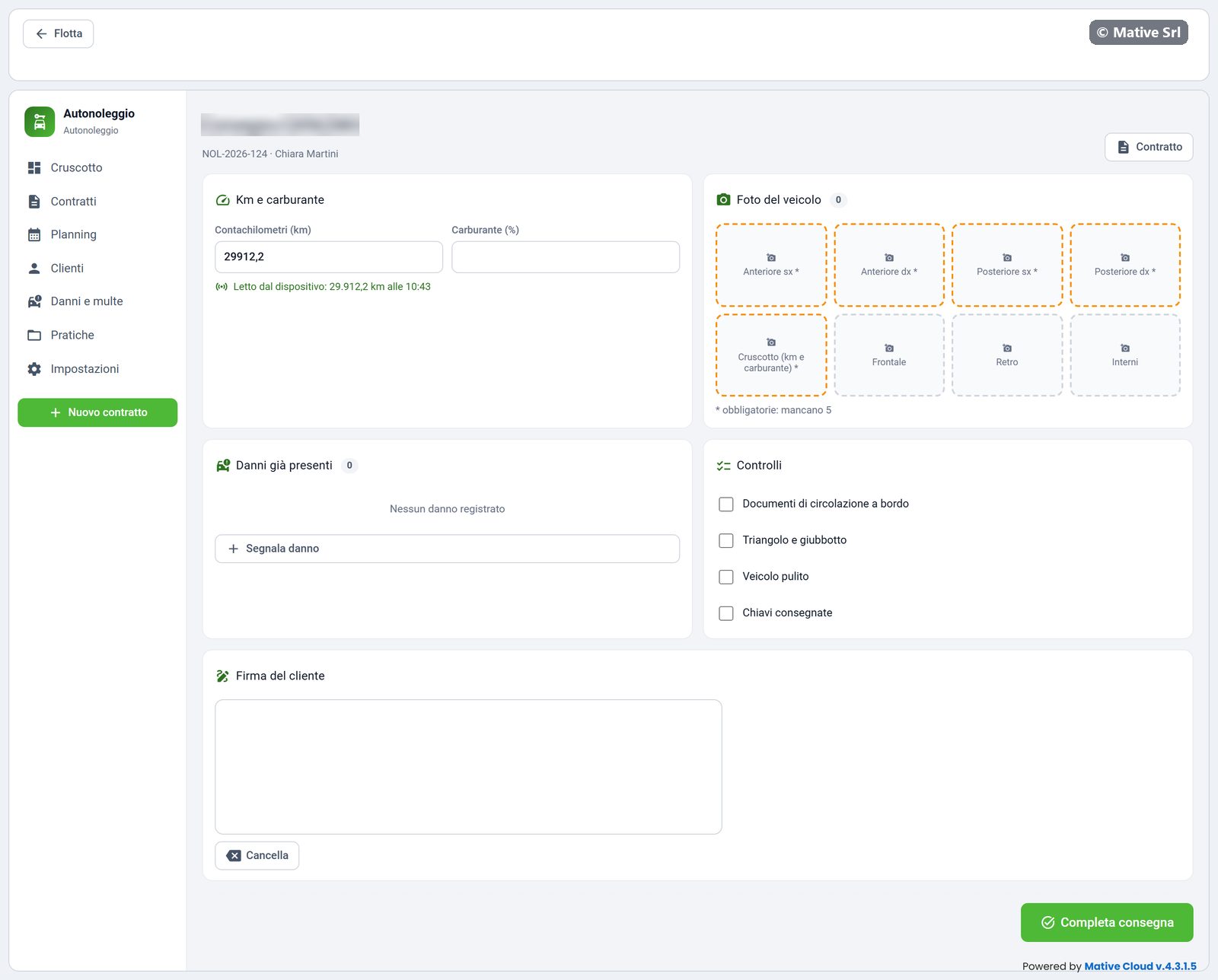
Km and fuel
The odometer (Contachilometri) is filled in with the value read from the tracker, with the time of the reading (Letto dal dispositivo). Correct it if needed and enter the fuel level in percent.
Photos
There are eight photo boxes. The five marked with an asterisk and an orange border are required: front left, front right, rear left, rear right and dashboard (km and fuel). Front, rear and interior are optional. Click a box to take or choose a photo. When the five required photos are there, the page shows Foto obbligatorie complete (required photos complete).
Damages
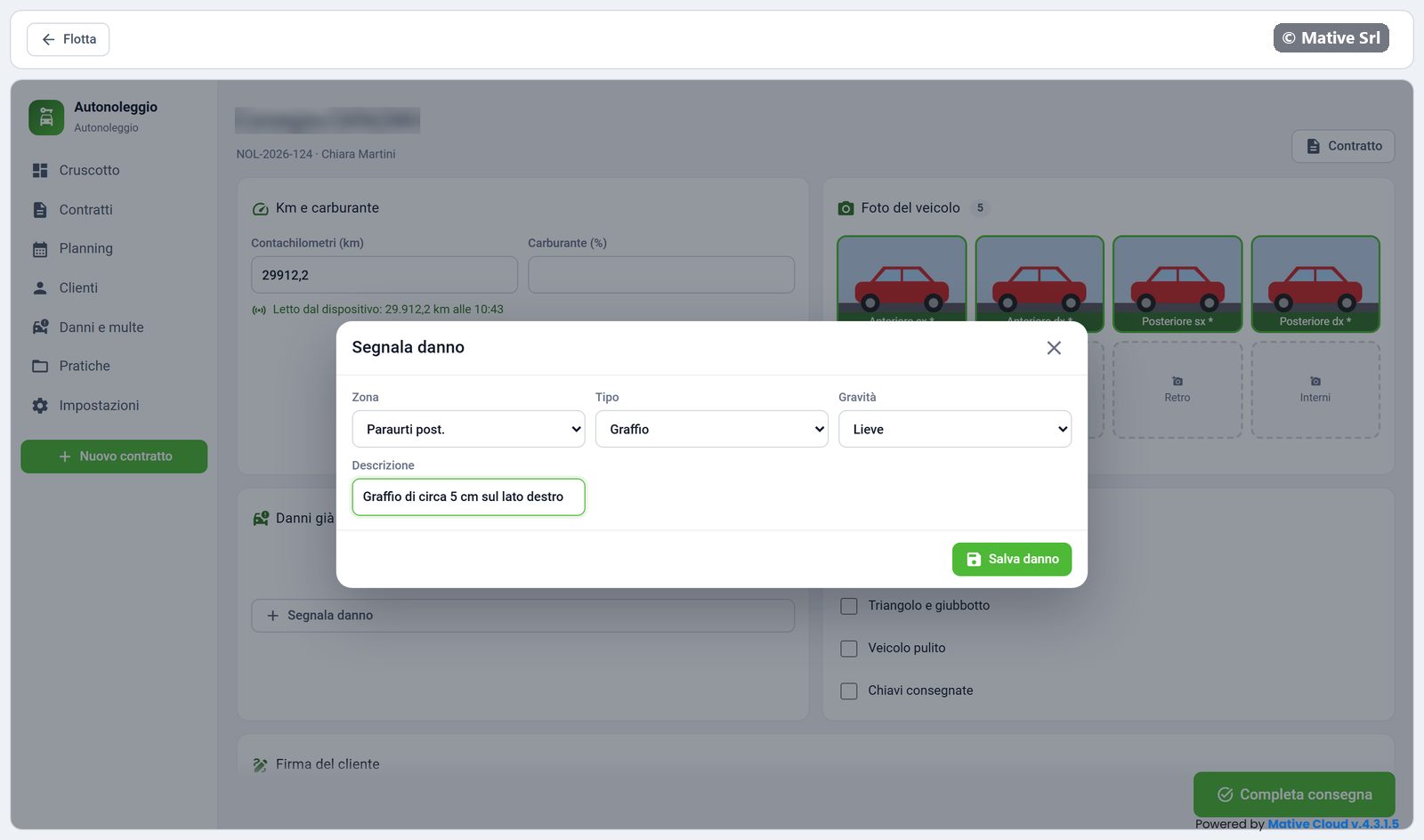
Danni già presenti (existing damages) lists the damages already recorded on the vehicle. Segnala danno (report damage) records a new one with area, type, severity and description.
Checks and signature
Tick the checks (documents on board, triangle and vest, clean vehicle, keys handed over) and have the customer sign in Firma del cliente.
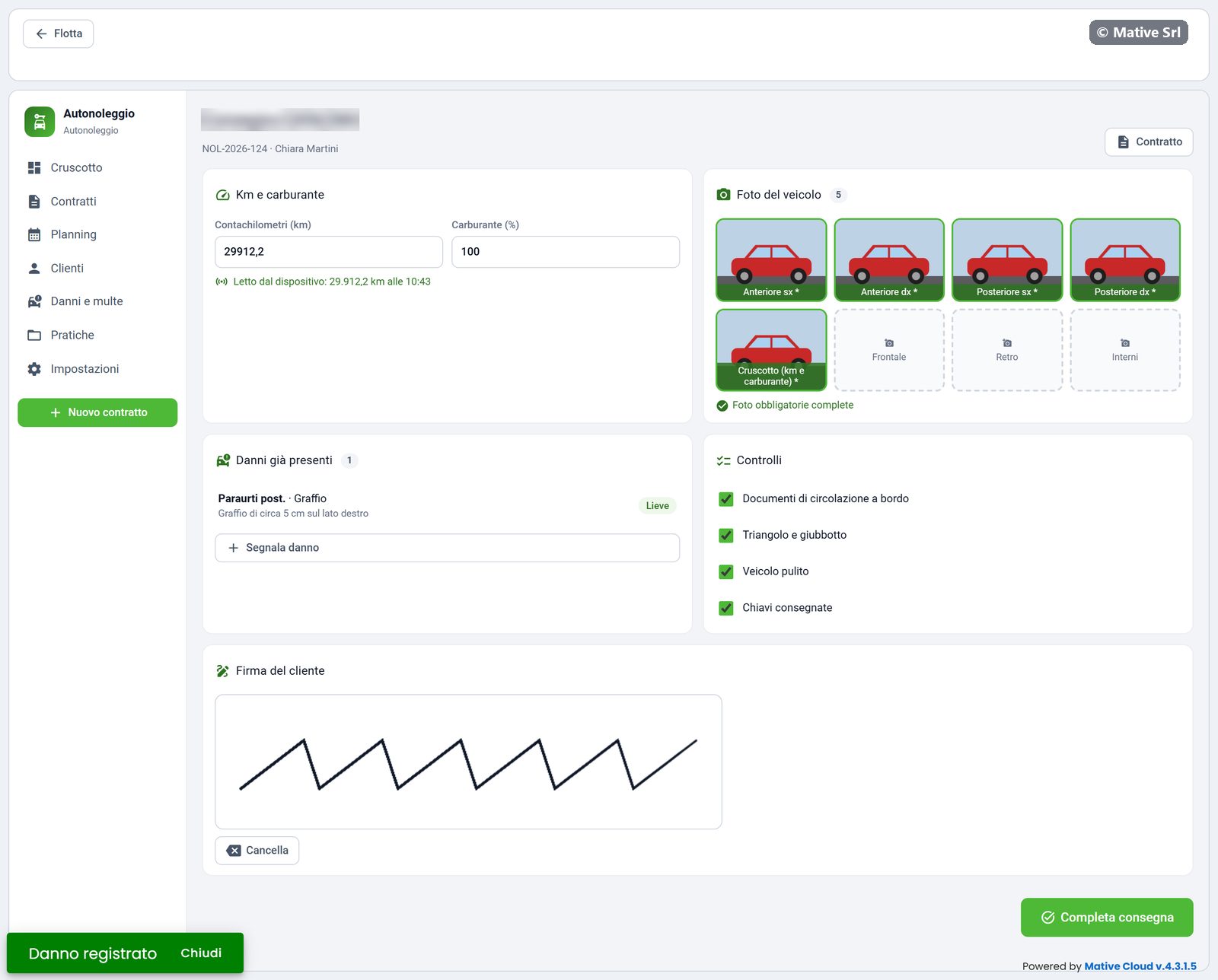
Click Completa consegna (complete handover). If something is missing, for example the signature, a window lists it. When the handover is complete, the vehicle appears as rented and the contract moves to In corso.
Handover blocked by CaRGOS
If the CaRGOS communication has not been accepted, the page shows the red box Consegna non consentita (handover not allowed) with the reason.
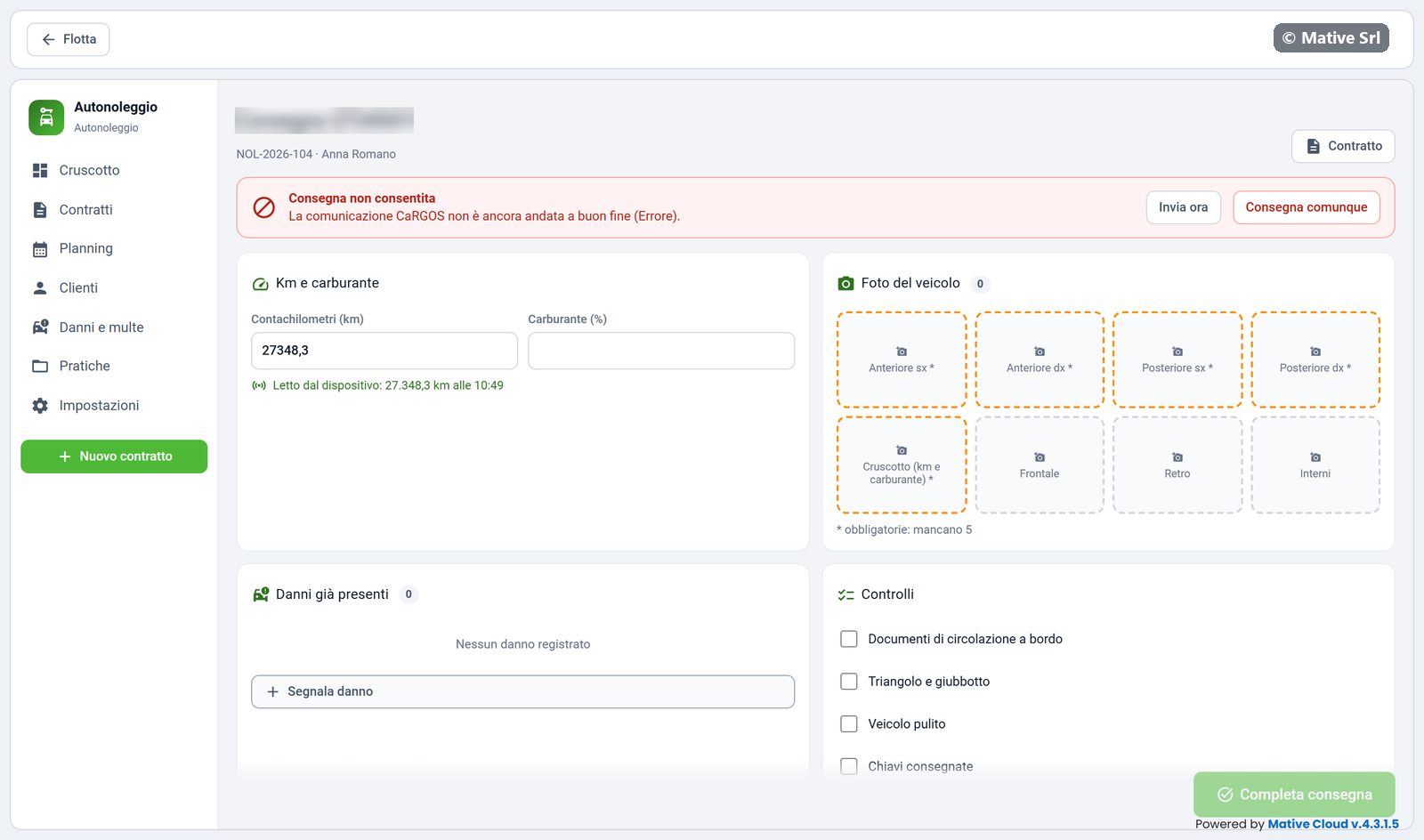
- Invia ora (send now) retries the communication.
- Consegna comunque (hand over anyway), only for the owner, unlocks the handover after you write the reason. The reason stays on record in the contract.
- With the status Da verificare sul portale (to check on the portal), Verifica e reinvia (check and send again) opens the steps to check on the CaRGOS portal.
Return
On the return you fill in the same page: photos, odometer, fuel, new damages, checks and signature. Click Completa rientro to open the summary.
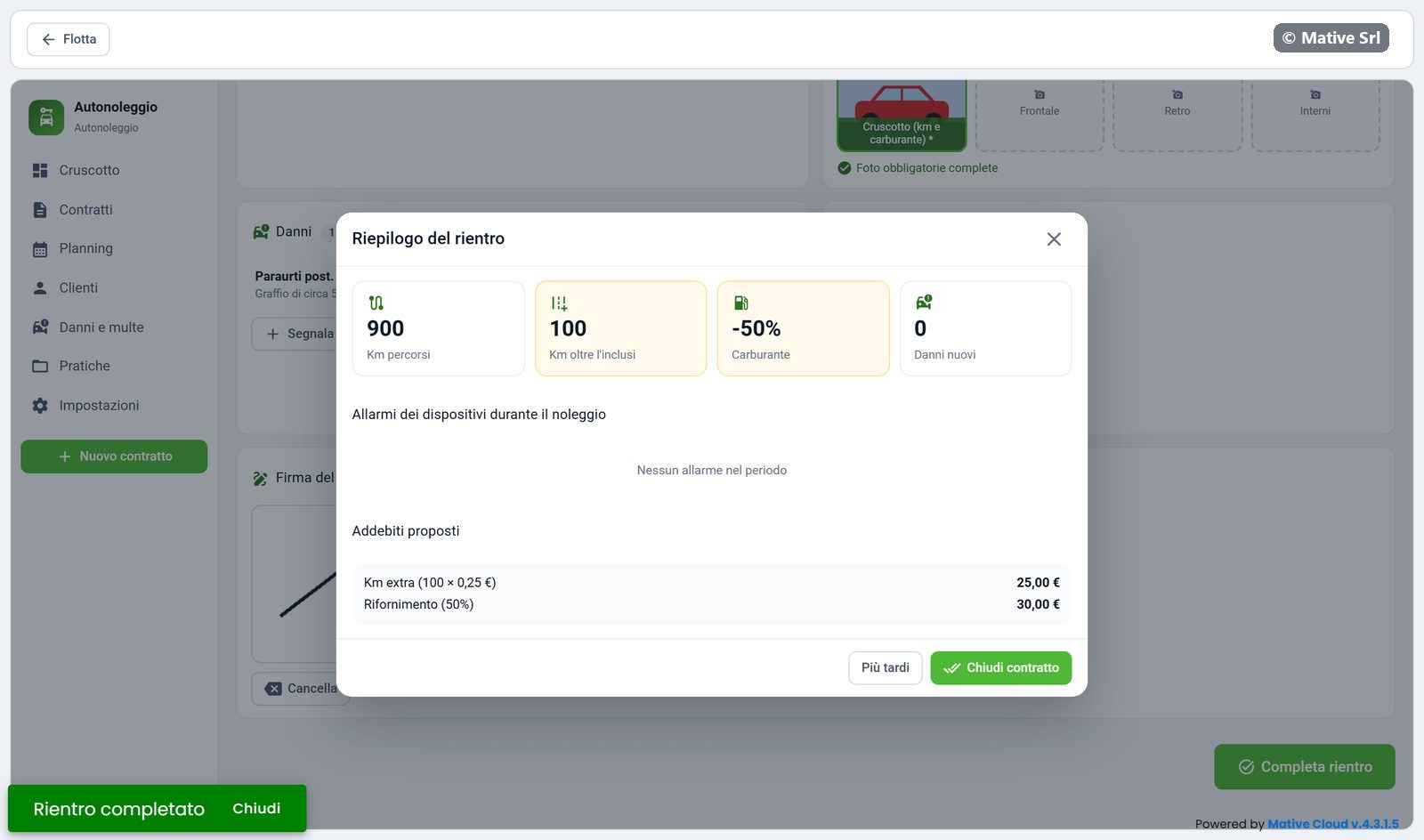
The Riepilogo del rientro (return summary) shows:
- km driven and km over the included ones;
- fuel difference;
- new damages;
- the alarms of the tracker during the rental (for example impacts or towing);
- the proposed charges, for example extra km and refuelling.
Chiudi contratto (close contract) closes the contract with those charges. Più tardi (later) leaves it in Da chiudere, to close later from the contract.