Suppliers, deadlines and the machine Purchase tab
Suppliers
The Fornitori (suppliers) view lists the suppliers with VAT number, city, contact person, phone, number of purchases and their total. Search by company name, VAT number, city or contact person (Cerca ragione sociale, partita IVA, città o referente).
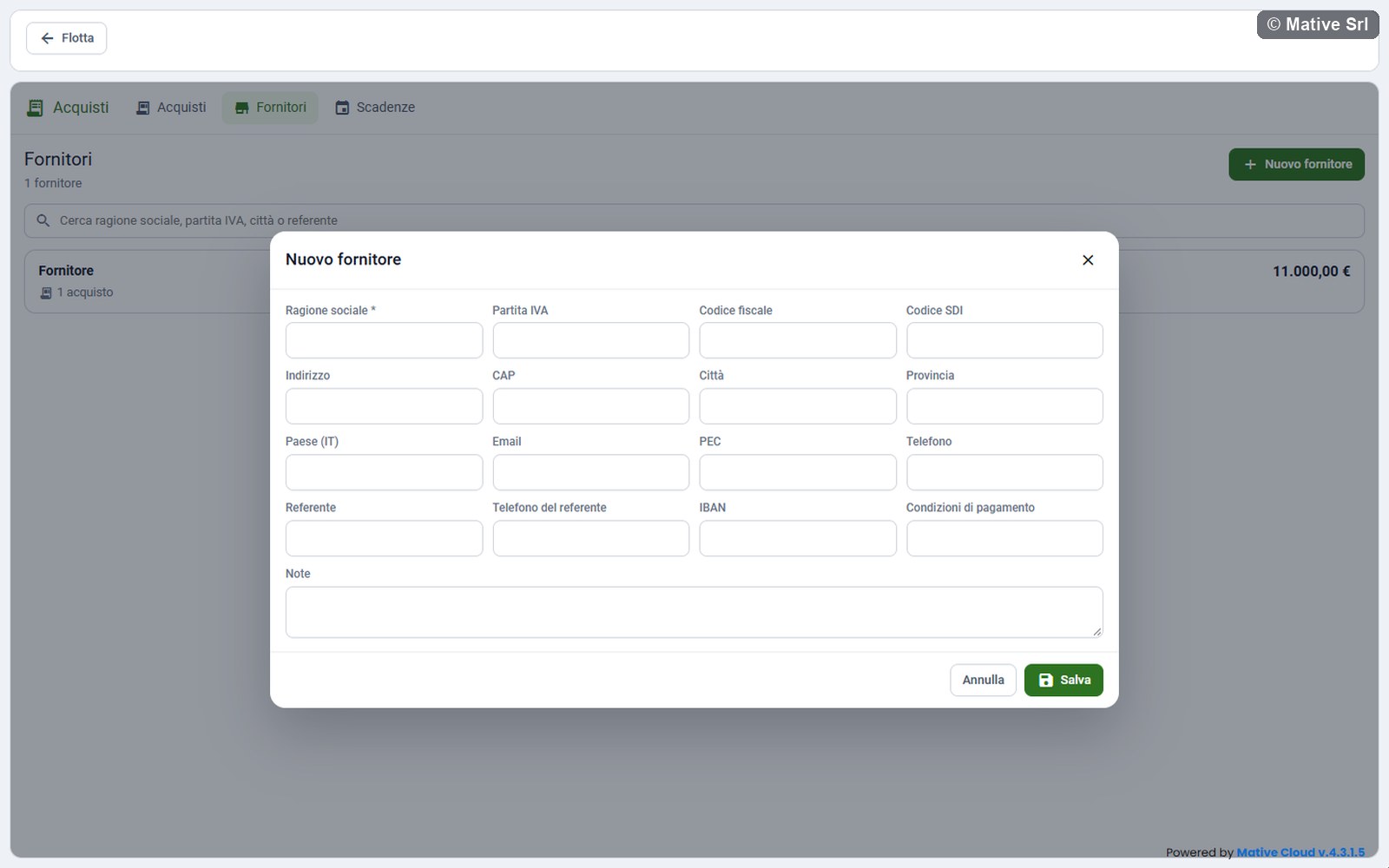
New supplier
Nuovo fornitore (new supplier) opens a window with:
| Field | Note |
|---|---|
| Ragione sociale (company name) * | Required |
| Partita IVA (VAT number) | Unique in the company; an Italian VAT number is checked |
| Codice fiscale, Codice SDI | Tax code and code for electronic invoicing |
| Indirizzo, CAP, Città, Provincia, Paese (IT) | Address |
| Email, PEC, Telefono | Email, certified email (PEC), phone |
| Referente, Telefono del referente | Contact person and their phone |
| IBAN | Checked when saved |
| Condizioni di pagamento, Note | Payment terms and notes |
Supplier detail
The detail shows:
- Anagrafica (record): the data of the supplier;
- Acquisti (purchases): the purchases from this supplier;
- Documenti del fornitore (supplier documents): for example DURC and company register extract (visura), with their expiry date. Carica documento uploads them, as for the documents of a purchase;
- Cronologia (history): the last 5 events, and Mostra tutta for the full history.
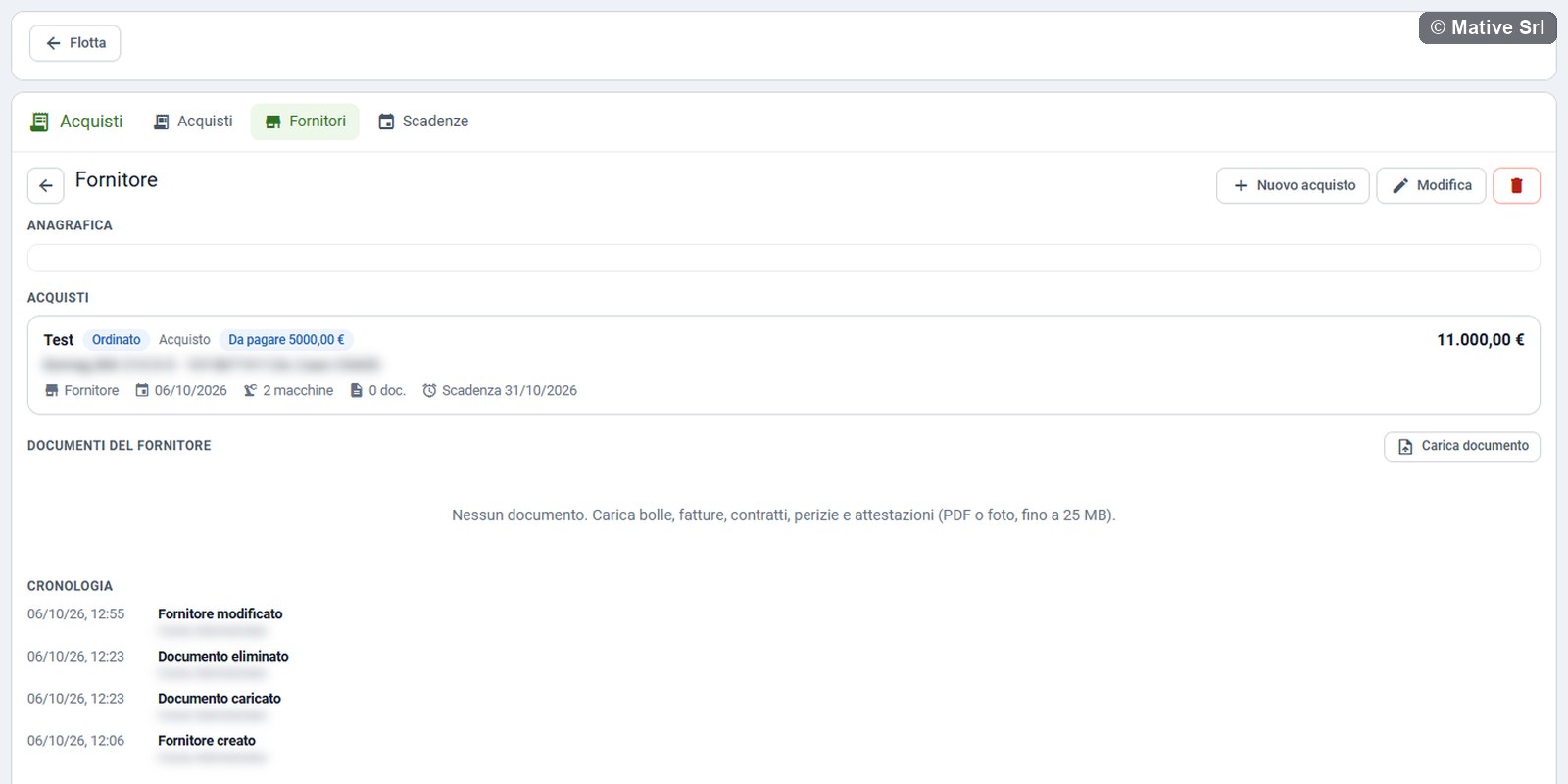
The buttons at the top are Nuovo acquisto (new purchase, already linked to the supplier), Modifica (edit) and the bin.
A supplier with purchases cannot be deleted: delete the purchases or assign them to another supplier first.
Deadlines
The Scadenze (deadlines) view lists the deadlines of all purchases in the next 60 days (default value), from the nearest:
- payments not settled, with the remaining amount;
- end of the warranty, of the purchase and of each machine;
- end of leasing or rental;
- due dates of the incentives still open;
- expiring documents.
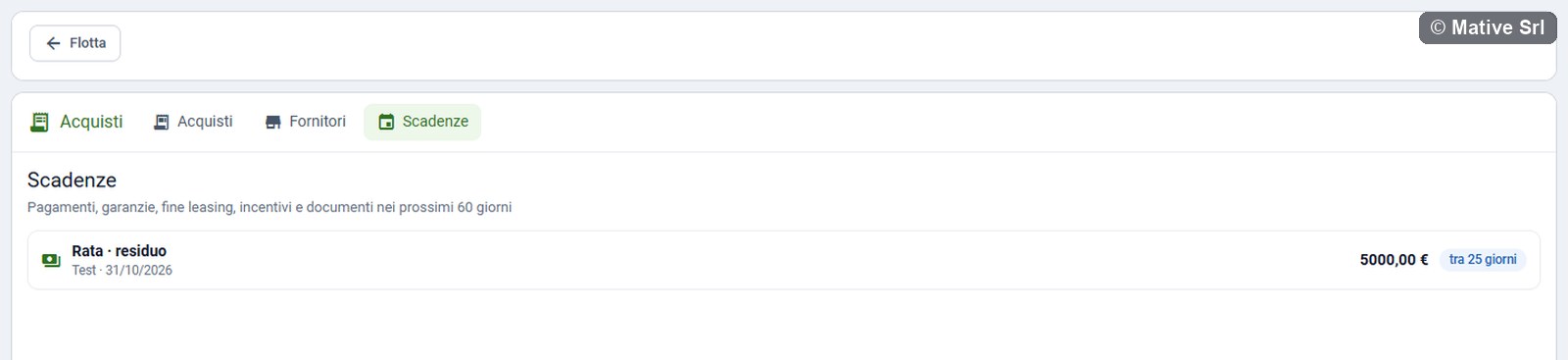
Overdue payments stay on the list until they are paid; the title shows how many are scadute (overdue). Each row shows the amount, when there is one, and how many days are left. Click a row to open its purchase.
Purchase tab of the machine
The Acquisto (purchase) tab of a machine page shows, for managers only:
- Acquisti della macchina (purchases of the machine): every purchase that includes it, with status, type, supplier, order and delivery dates, serial number, hours at delivery, warranty and price. Click a purchase to open it;
- Scadenze (deadlines) of those purchases;
- Documenti (documents) of those purchases. Documents are uploaded from the page of the purchase.
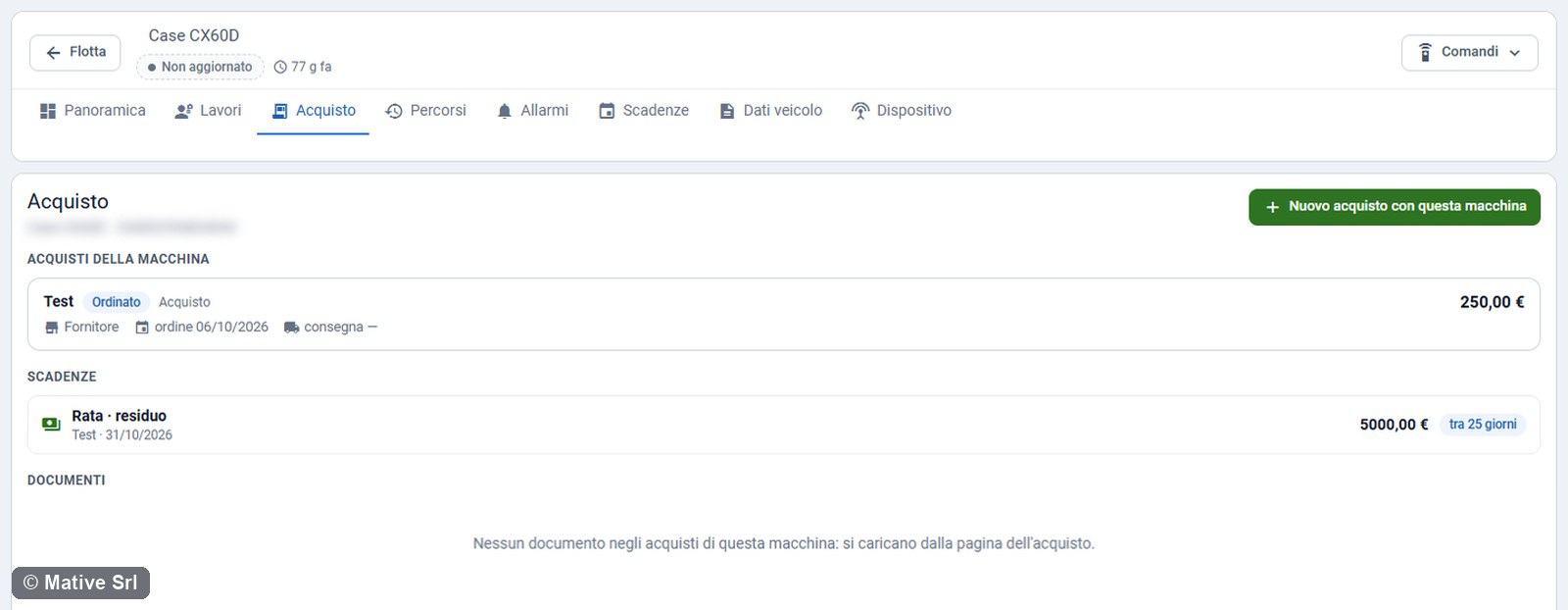
The buttons are:
- Nuovo acquisto con questa macchina (new purchase with this machine): creates a purchase with the machine already linked;
- Collega a un acquisto (link to a purchase), when the machine has no purchase yet: links it to an existing purchase in draft, ordered or delivered, for example when one invoice covers several machines.