Deadlines and vehicle data
Deadlines
The Scadenze (deadlines) tab shows the status of each deadline with a traffic light. Under the cards is the form where you set the dates and the intervals.
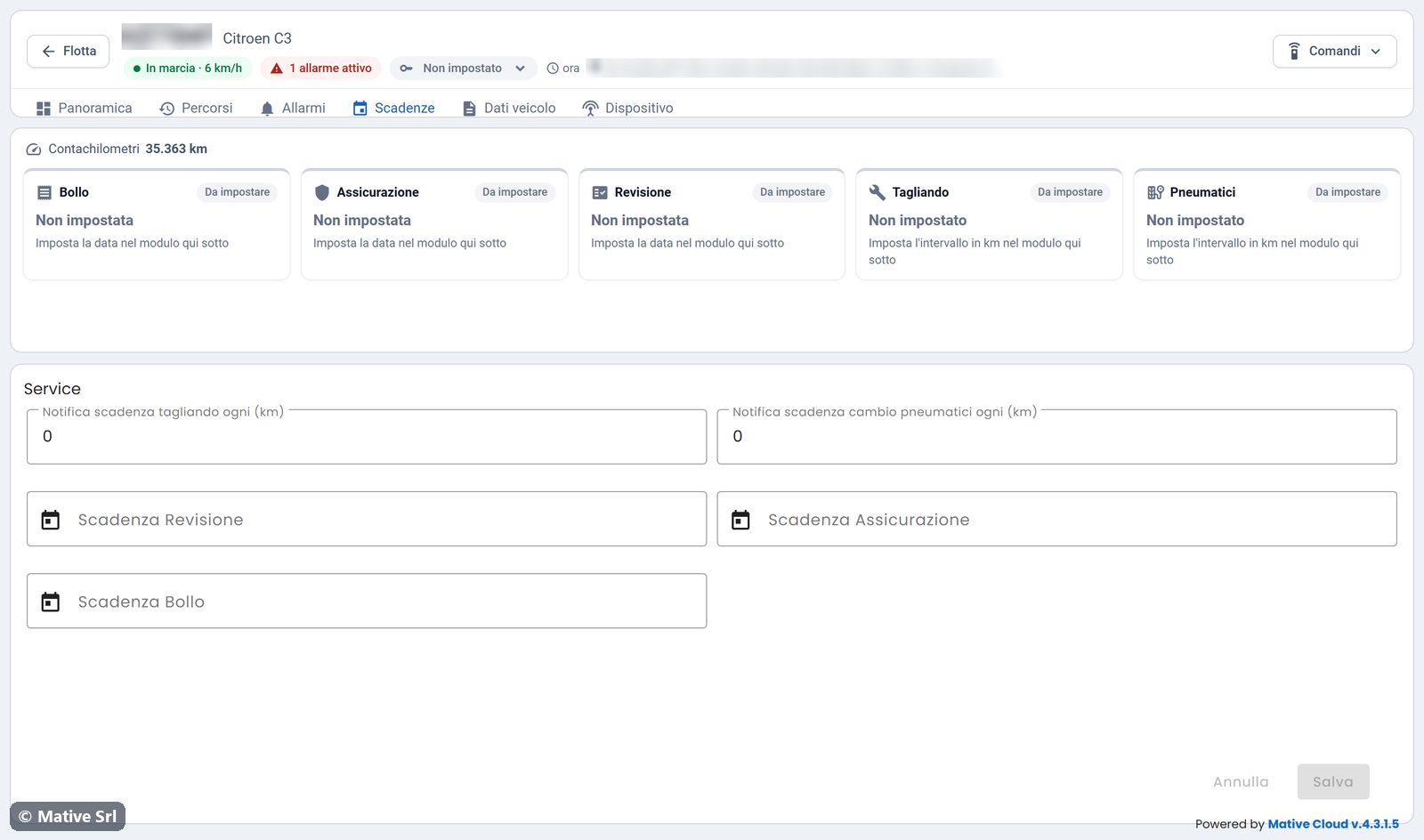
At the top you see the current Contachilometri (odometer), which is the reference for the km-based deadlines.
| Card | Type | How it is calculated |
|---|---|---|
| Bollo (road tax) | Date | Days left until the date |
| Assicurazione (insurance) | Date | Days left until the date |
| Revisione (inspection) | Date | Days left until the date |
| Tagliando (service) | Every N km | Km left until the next multiple of the interval |
| Pneumatici (tyres) | Every N km | Km left until the next multiple of the interval |
Each card has one of four states:
| State | Meaning |
|---|---|
| In regola | More than 30 days or more than 1,000 km left (default values) |
| In scadenza | 30 days or 1,000 km left, or less. A bar shows how close the deadline is. |
| Scaduta | Date passed, or expiring today |
| Da impostare | No date or interval set yet |
Setting a deadline
- In the Service form, enter the dates (Scadenza Revisione, Scadenza Assicurazione, Scadenza Bollo) and the intervals in km (Notifica scadenza tagliando ogni (km), Notifica scadenza cambio pneumatici ogni (km)).
- Click Salva (save). Annulla (cancel) discards the changes.
Vehicles with a deadline expired or approaching are counted in the Scadenze KPI of the fleet home and in the statistics.
Vehicle data
The Dati veicolo (vehicle data) tab contains the vehicle record, in two forms.
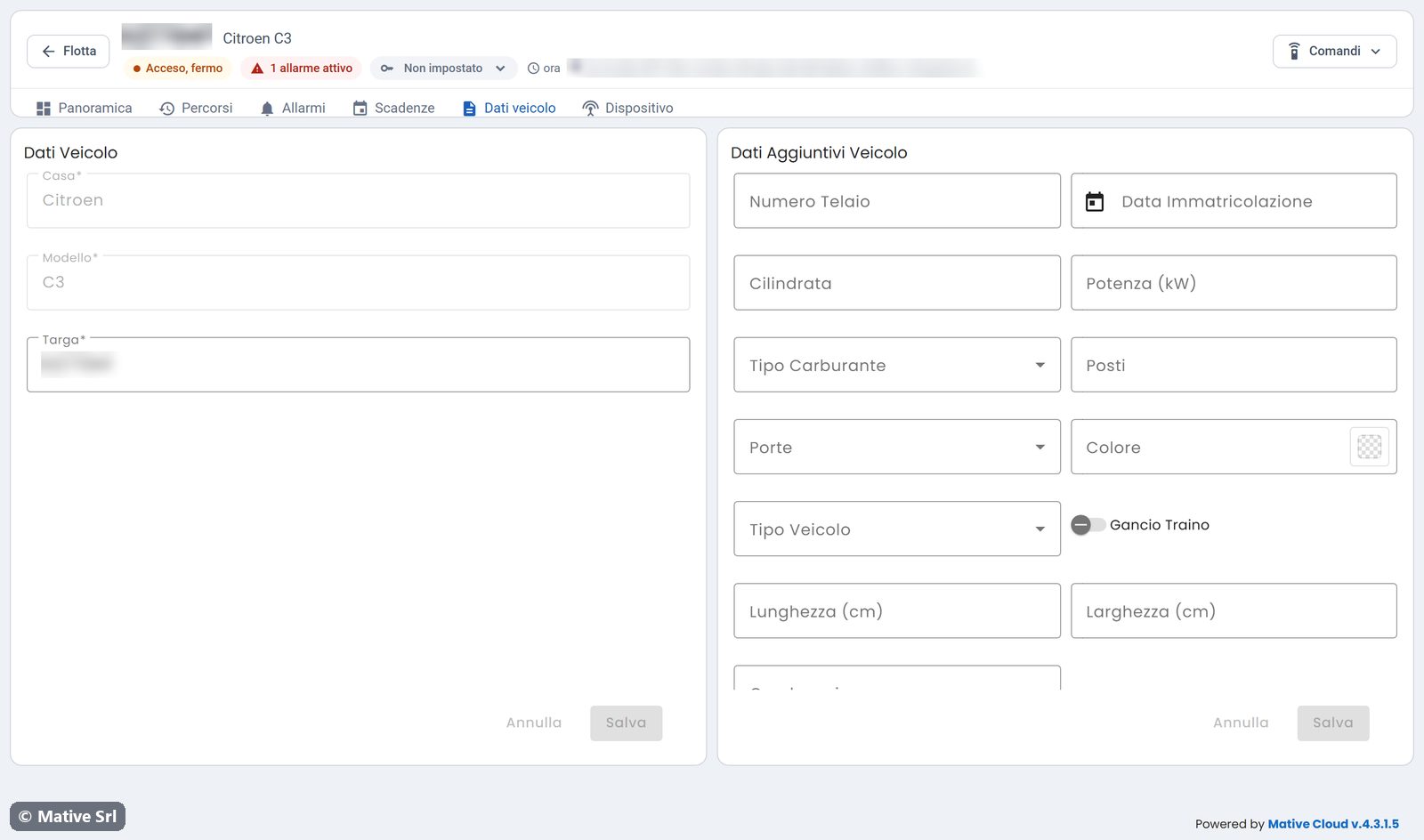
- Dati Veicolo: brand (Casa), model (Modello) and plate (Targa). These fields are required: plate and model appear in the list, on the map, in the alarms and in the notifications.
- Dati Aggiuntivi Veicolo (additional data): chassis number (Numero Telaio), registration date, engine size, power (kW), fuel type, seats, doors, colour, vehicle type, tow hook, length, width and other technical data.
Each form has its own Salva and Annulla buttons.